The Ultimate Guide to iPhone 14 Pro Mockups — Tools, Techniques, and Best Practices
IPhone 14 Pro Mockup In the world of digital design and presentation, mockups are indispensable tools. Whether you’re a UI/UX designer, an app developer, a marketer, or a creative professional putting together a portfolio, the way your work is showcased can dramatically influence how it is perceived. Among the most popular devices to feature in mockups today is the iPhone 14 Pro — Apple’s flagship smartphone that marries modern aesthetics with powerful performance. iPhone 14 Pro mockups allow designers to present user interfaces and app screens in a polished, professional format ready for clients, portfolios, and marketing materials.
What Is a Mockup and Why It Matters
A mockup is a visual representation of a design or product, usually static, that demonstrates how a final piece of work will look. In graphic and interface design, mockups allow creators to place their UI screens into realistic device frames without building a working application. This means you can showcase a concept as if it’s already functioning on real hardware — ideal for feedback, client approval, or promotion.
In mobile design, especially for iOS applications, mockups are often built in PSD (Photoshop) format with smart object layers. These smart layers make it easy to drop your UI design into a mockup, scale it correctly, and render a lifelike presentation with shadows, reflections, and background control.
For designers and developers, this small step can significantly elevate a project’s perceived professionalism and polish. Instead of flat screenshots floating on a blank page, a realistic iPhone 14 Pro mockup communicates context, device interaction, and visual impact.
Why the iPhone 14 Pro Is a Popular Mockup Choice
Since its release, the iPhone 14 Pro has been widely adopted by designers as a showcase device. Its modern features — including the Dynamic Island, a crisp display, and multiple color variants — make it visually appealing and relevant for contemporary design portfolios.
Because it’s one of Apple’s recent flagship models, clients and end-users are familiar with its look, which adds credibility to any project showcased on it. Allocating your UI work to a current and recognizable device helps ensure that the app’s interface design feels real, modern, and relatable.
Types of iPhone 14 Pro Mockups You Can Use
There is a wide range of mockups available, from simple side views to elaborate scenes:
1. Front-View PSD Mockups
These traditional mockups show the iPhone 14 Pro from the front, giving a clear, unobstructed display area. They’re ideal for app screens, websites, and UI elements.
2. Front & Back Mockups
Some designs include both the front and back of the phone, which can be useful when showing app branding on physical product packaging or accessories.
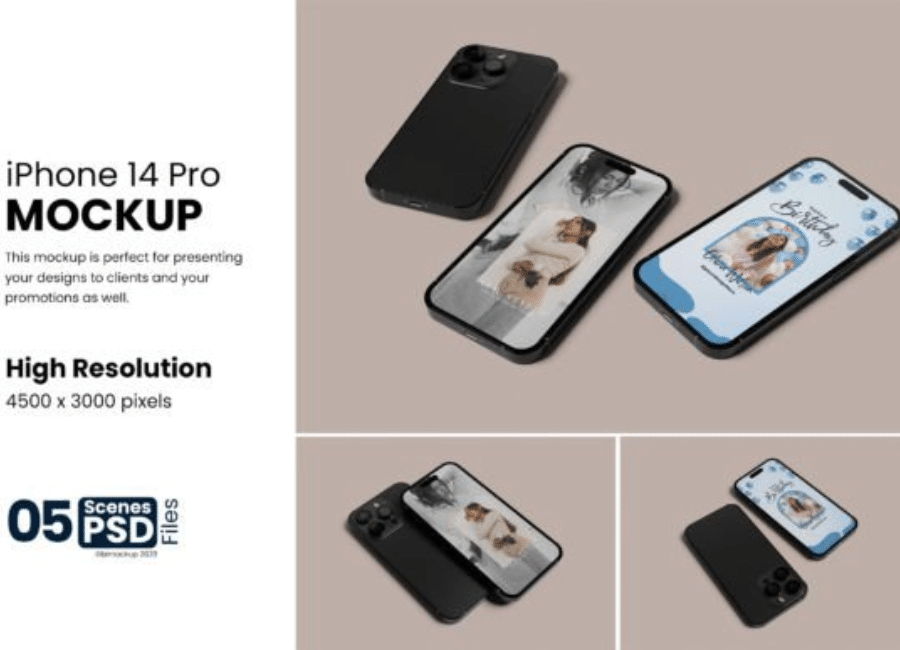
3. Multi-Angle and Scene Mockups
More comprehensive sets include multiple presets: top views, angled perspectives, and isolated screen composites. These are useful for portfolio pages or app store features.
4. Stylized and UHD Mockups
High-resolution stylized mockups provide ultra-detailed visuals that can make even simple screens look premium and eye-catching.
Many of these resources are available for free, with high resolution and customizable elements such as background colors, shadows, and smart object layers — so designers can tweak the presentation to match their branding or project theme.
There are several free and premium sources for mockups online:
Mockup World — Free PSD files with front-and-back designs, including color customization.
PsFiles — Offers multiple free iPhone 14 Pro mockup PSD files with photorealistic lighting and editable screen areas.
Asylab — High-resolution mockups with multiple shadows and original device colors, perfect for different aesthetic presentations.
Free-Mockup.com — Simple, clean iPhone 14 Pro PSD mockups ideal for quick app showcase designs.
Dribbble and Behance portfolios — Designers often share free or premium sets with expanded features or additional scenes.
Using these mockups correctly helps you present your interface designs professionally — whether for a pitch, a portfolio site, or a client deliverable.
Best Practices When Using iPhone Mockups
To make the most out of your iPhone 14 Pro mockups, here are some key tips:
1. Use Smart Objects
Smart object layers in Photoshop let you easily replace screens with your own designs without worrying about distortion or perspective. This ensures your final image looks crisp and natural.
2. Maintain Consistent Resolution
High-resolution mockups make your designs appear sharper and more professional. Always work with files at 300 DPI or higher, especially if used for print or large displays.
3. Match Colors & Themes
When placing your design into a mockup, ensure background colors and shadows don’t clash with your UI. A cohesive color palette maintains visual harmony.
4. Show Real Context
Don’t limit yourself to plain mockups. Use environment or lifestyle mockups where appropriate — like a hand holding the device — to communicate how users might interact in real life.
5. Tailor for Audience
If a presentation is for clients, focus on clarity and professionalism. For a portfolio, choose dynamic and eye-catching scenes that highlight your creative direction.
Common Uses for Mockups in Design Work
Mockups add value in many scenarios:
Client Presentations: Clients often don’t have the technical eye — seeing the design on a familiar device frame helps them visualize the end product.
Portfolio Showcases: A compelling mockup makes your design portfolio stand out and looks more polished and marketable.
App Store Graphics: App store screenshots within device frames tend to convert better and look more credible.
Marketing Materials: From social media posts to product landing pages, mockups help convey professionalism and context.
In all these cases, the goal is the same: move beyond flat designs to realistic visual storytelling that makes your app concepts feel tangible and relevant.
Conclusion
In today’s design ecosystem, iPhone 14 Pro mockups are more than just pretty visuals — they are essential tools that bridge the gap between idea and presentation. A well-chosen mockup can transform a flat screenshot into a compelling piece of design communication. Whether you’re preparing a client pitch, updating your portfolio, or putting together marketing assets, mockups help elevate your work and give it the context it deserves.
From free PSD files with smart object layers to high-resolution stylized scenes, there are mockup resources available for every level of designer — and by following best practices, your designs will look as polished as the technology they’re presented on.